
What is the Best APK Installer for PC?
Ever wondered if you could run your favorite Android apps on your computer? Maybe a mobile game feels easier to crush on a bigger screen, or perhaps you just like the idea of using Instagram with a keyboard and mouse. Either way, you're going to need the best APK installer for PC — and buddy, you’ve landed in the right place!
 tasnimanas

Ever wondered if you could run your favorite Android apps on your computer? Maybe a mobile game feels easier to crush on a bigger screen, or perhaps you just like the idea of using Instagram with a keyboard and mouse. Either way, you're going to need the best APK installer for PC — and buddy, you’ve landed in the right place!
Understanding APK Files and Their Use on PC
What is an APK File?
Think of an APK file as the box that holds everything needed to build an app on Android. It’s the installer package that contains all the pieces—images, code, and data—to bring an app to life on your device.
Why Would You Want to Install APKs on a PC?
Sometimes, using apps on a tiny phone screen just doesn’t cut it. Whether it’s gaming, multitasking, or app development, installing APKs on your PC gives you more freedom, better control, and a bigger playground.
Can You Really Install APKs on a PC?
Android Emulators: The Game Changer
Yup, it's totally possible. Thanks to Android emulators, you can mimic the full Android operating system right on your PC. These tools let you install APKs as if you were on a phone or tablet.
Native APK Installers for Windows and Mac
While emulators offer the full experience, there are also simpler APK installers that focus purely on getting your app up and running without emulating an entire phone.
What to Look For in a Good APK Installer for PC
User-Friendly Interface
No one wants a complicated mess. A clean, easy-to-use interface can save you hours of frustration.
Speed and Performance
Laggy apps? No, thank you. The best APK installers should run apps smoothly, almost as if they were native PC programs.
Compatibility and Stability
Crashes are a buzzkill. Your APK installer should be stable and compatible with a wide range of apps.
Security and Malware Protection
APK files can be risky if you’re not careful. Always pick an installer that respects your PC's security and offers protection against malware.
The Best APK Installers for PC Reviewed
BlueStacks
The king of the hill!
-
Pros: Super easy to use, excellent performance, great for gaming.
-
Cons: Can be heavy on system resources.
-
Perfect For: Gamers and heavy app users.
NoxPlayer

A lighter alternative to BlueStacks.
-
Pros: Smooth performance, rooted Android options.
-
Cons: Ads during installation.
-
Perfect For: Both casual and advanced users.
LDPlayer
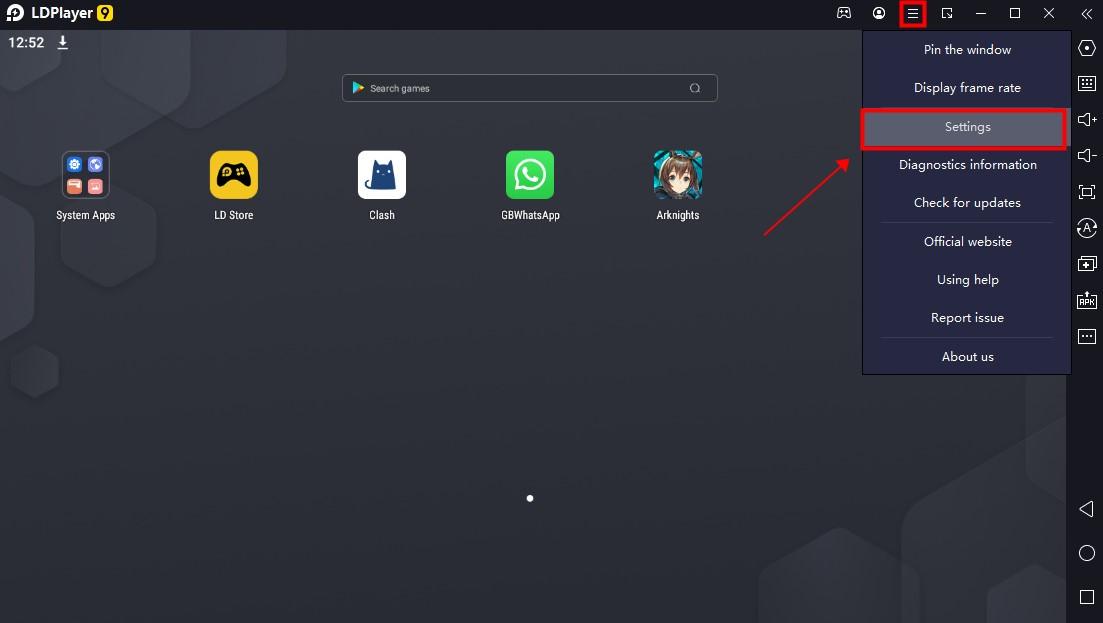
Gaming heaven!
-
Pros: Optimized specifically for gaming.
-
Cons: Less intuitive for non-gamers.
-
Perfect For: Hardcore Android gamers.
MEmu Play
Power and flexibility.
-
Pros: Great performance, customizable controls.
-
Cons: Interface could be better.
-
Perfect For: Those who love tweaking settings.
ARC Welder (Chrome Extension)
Super basic but does the trick.
-
Pros: No heavy software installs, easy to use.
-
Cons: Limited app support.
-
Perfect For: Testing one or two apps casually.
Genymotion
Built for developers.
-
Pros: Great for app testing, lots of options.
-
Cons: Paid for full version.
-
Perfect For: App developers and testers.
Andy Android Emulator
All-rounder with desktop integration.
-
Pros: Seamless sync between phone and PC.
-
Cons: Reports of bundled unwanted software.
-
Perfect For: Users who want full Android-PC integration.
Installing APKs on PC Step-by-Step
Step 1: Install an Emulator or APK Installer
Pick your weapon of choice—BlueStacks, NoxPlayer, or any from the list—and install it.
Step 2: Download Your APK File Safely
Only grab APKs from trusted sites like APKMirror, APKPure, Android APK Download, or the developer’s official page.
Step 3: Open and Install the APK on Your PC
Drag the APK file into the emulator window or use the built-in APK installer option.
APK Installer vs. Emulator: What's the Difference?
Emulators Provide Full Android Experience
Emulators recreate the full Android operating system on your PC — settings, notifications, and even swiping gestures.
APK Installers Focus Just on Installing Apps
APK installers (without emulating Android) simply install and run the apps without all the extra bells and whistles.
Common Problems and How to Fix Them
App Crashes
-
Update your emulator.
-
Check if the APK version matches the Android version of your emulator.
Installation Errors
-
Re-download the APK (it could be corrupted).
-
Check file permissions.
Compatibility Issues
-
Use a different emulator that supports newer Android versions.
Are APK Installers Safe for PC?
How to Protect Your PC from Harmful APKs
-
Stick with known downloaders.
-
Scan APK files with antivirus software before opening them.
-
Don’t grant unnecessary permissions.
Legal Considerations When Using APK Files on PC
Is It Legal to Use APKs on a PC?
If you’re using APKs for personal use and not pirating paid apps, you’re generally in the clear. But downloading paid apps for free without paying? That's illegal.
Tips for a Smooth APK Installation Experience on PC
Keep Your Emulator/Installer Updated
Newer updates fix bugs and improve compatibility.
Use Verified APK Sources
Never download from shady sites promising “free hacked apps.”
Ensure Sufficient PC Resources
Heavy games or apps need good RAM and processing power to run smoothly.
Final Thoughts: Choosing the Right APK Installer for You
Choosing the best APK installer for PC comes down to what you need.
-
For gaming: Go with BlueStacks or LDPlayer.
-
For casual use: NoxPlayer or ARC Welder is perfect.
-
For developers: Genymotion is your best buddy.
No matter what you choose, remember: stay safe, be smart, and enjoy the world of Android on your computer!
Conclusion
Running Android apps on your PC isn't just a tech geek's dream anymore — it's super easy and accessible! With the right APK installer, you can transform your PC into an Android playground. Whether you want to game harder, work smarter, or just have fun, the perfect APK installer is just a few clicks away. Pick wisely, stay cautious, and dive in!
FAQs
Can I install APKs directly on Windows without an emulator?
Mostly, no. You’ll need an emulator like BlueStacks, though some tools like Windows 11's Subsystem for Android are starting to change that.
Which APK installer is best for gaming apps?
LDPlayer and BlueStacks are both top-notch for gaming — smooth graphics and customizable controls.
Is BlueStacks free to use?
Yup, BlueStacks is free! But they do offer premium versions with extra features if you want to upgrade.
Are APK files safe for Windows PCs?
They can be, but only if downloaded from trusted sources. Always scan files before installing.
Can I run APK files on Mac using the same installers?
Yes, BlueStacks, NoxPlayer, and others have Mac versions too. Just download the Mac installer from their official websites!